How to Generate a Grocery List from Your Meal Plan
Last updated: 2026-03-20
Quick Answer
Family Values can turn your entire weekly meal plan into a single, organized grocery list with one click. Head to the Meal Planner at familyvalu.es, finalize your meals for the week, and hit the shopping cart button. The app consolidates every ingredient, scales quantities by servings, merges duplicates, and sorts everything into grocery store categories so you can shop efficiently.
Step-by-Step Walkthrough
-
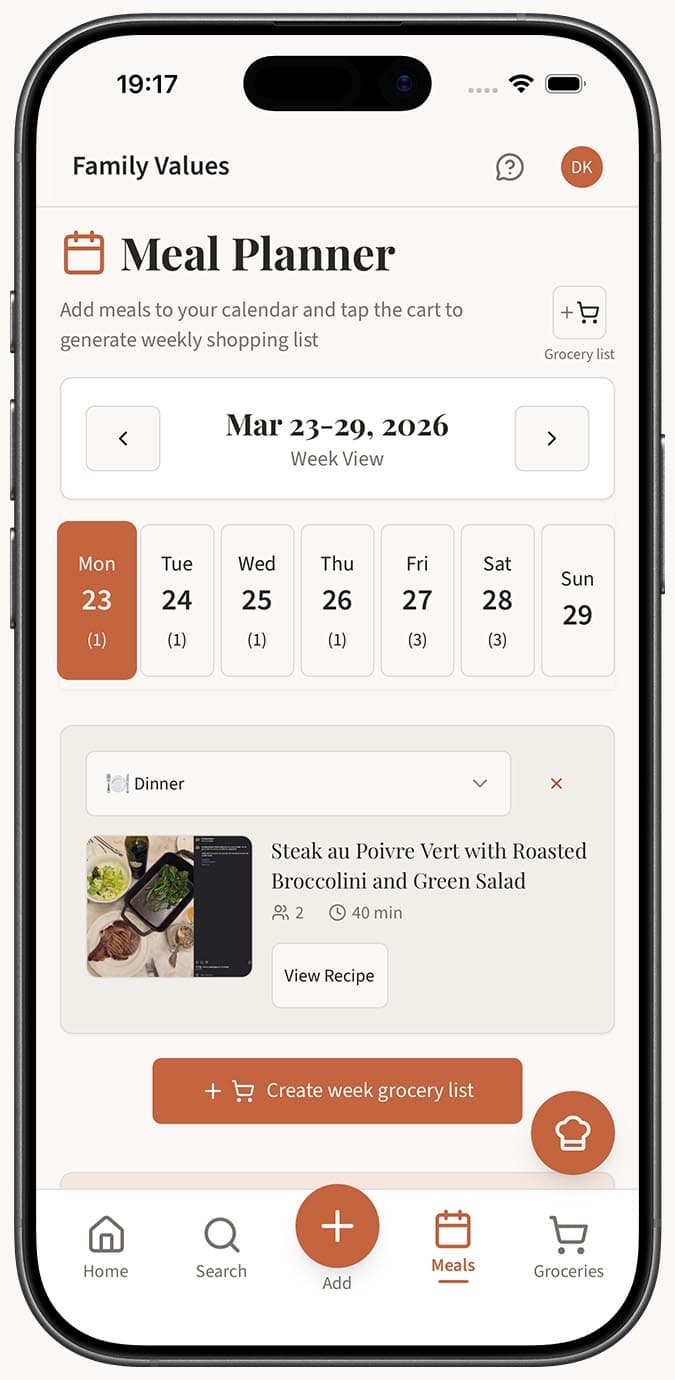
Plan your meals by navigating to the /meal-planner page in Family Values. Add recipes to your weekly calendar for breakfast, lunch, and dinner. Adjust servings for each meal to match how many people you're feeding.
-
Review your week to make sure all the meals you want are in place. The summary bar at the top shows your total meals, unique recipes, total servings, and cook time so you can confirm everything looks right.
-
Click the shopping cart button in the meal planner. Family Values will process all the recipes on your calendar and begin generating your grocery list.
-
Wait a moment while the app works behind the scenes. It reads every ingredient from every planned recipe, scales amounts based on your chosen servings, merges duplicates together, and assigns each item to an appropriate grocery category.
-
View your new list on the /shopping-lists page. The generated list is automatically named "Meal Plan (date to date)" using the start and end dates of your planned week, making it easy to identify.
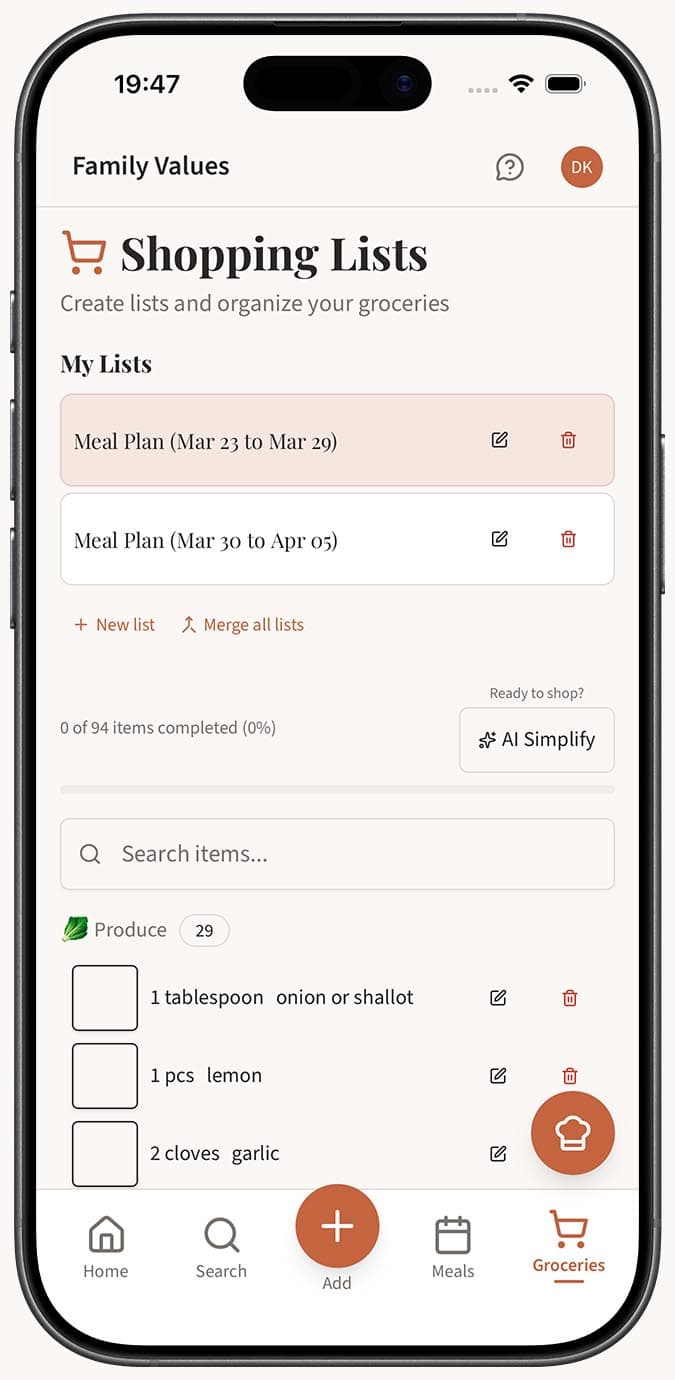
- Shop from the list by checking off items as you go. The progress bar at the top tracks how many items you've completed.
Tips
- Make sure your recipes have accurate ingredient lists before generating. The grocery list is only as good as the data in your recipes.
- After generating, use the AI Simplify button to further clean up the list -- it normalizes units, rounds to grocery-friendly amounts, and catches any remaining duplicates.
- You can generate a new grocery list each week without affecting previous lists. Each generation creates a separate list.
- On mobile, navigate to the meal planner and tap the shopping cart icon just like on desktop. The generated list will appear in your shopping lists drawer.
Related Questions
Frequently Asked Questions
Related Articles
How to Plan Meals for the Week
Learn how to use the Family Values meal planner to organize breakfast, lunch, and dinner for the entire week in one simple view.
How to Create and Manage Shopping Lists
Learn how to create, rename, delete, and manage shopping lists in Family Values to keep your grocery trips organized.
How the Automatic Grocery List Works
Understand how Family Values automatically consolidates, scales, merges, and categorizes ingredients when generating a grocery list from your meal plan.