How to Plan Meals for the Week
Last updated: 2026-03-20
Quick Answer
Planning meals for the week in Family Values takes just a few minutes and saves you hours of daily decision-making. Open the Meal Planner at familyvalu.es, browse your recipe library, and assign dishes to any day and course. You'll see your whole week at a glance, complete with a summary of total meals, servings, and cook time.
Step-by-Step Walkthrough
-
Open the Meal Planner by navigating to the /meal-planner page in Family Values.
-
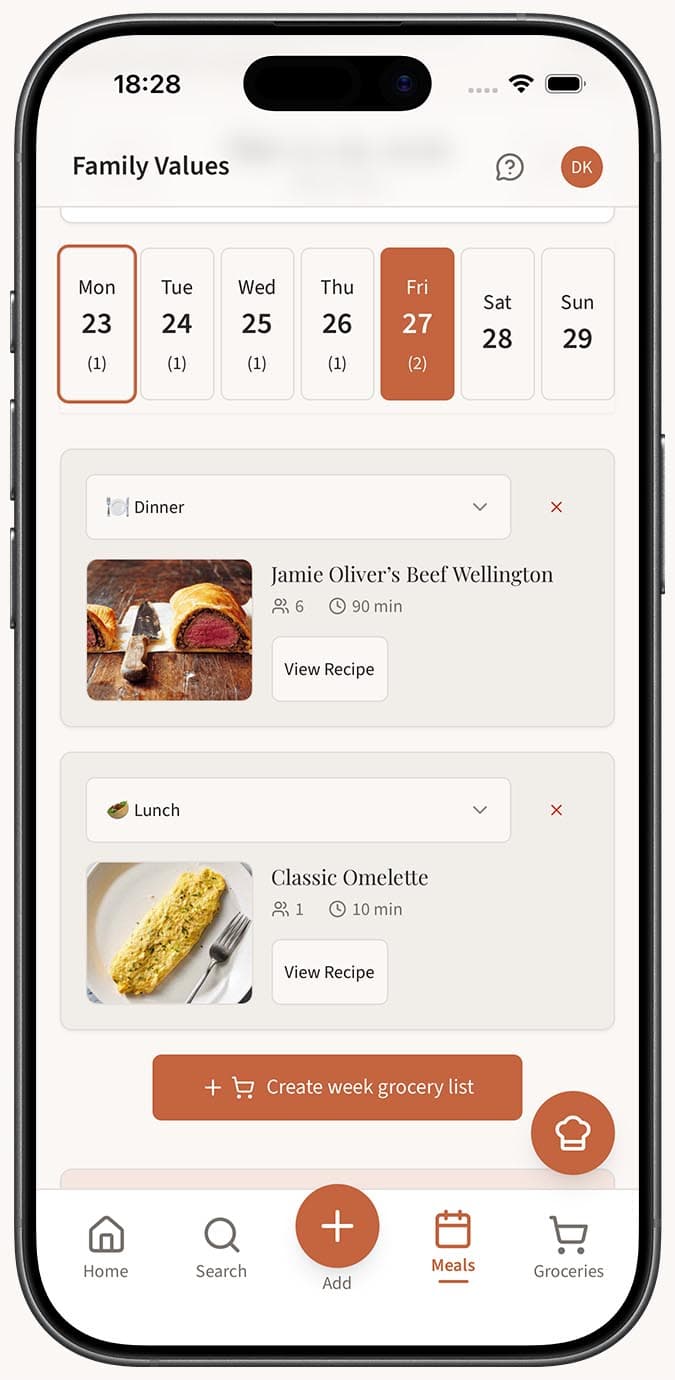
Browse the weekly calendar on the left side. It displays Monday through Sunday, with each day organized into three course slots: Breakfast, Lunch, and Dinner.
-
Find a recipe using the recipe library panel on the right side. You can scroll through your saved recipes or use the search bar and category filter to narrow things down.
-
Click the "Plan" button on any recipe. A popover will appear where you can choose the date, select the course (breakfast, lunch, or dinner), and adjust the servings to match how many people you're feeding.
-
Click "Add" to place the recipe onto your calendar. It will appear under the correct day and course with the recipe name, cook time, and servings displayed.
-
Repeat for as many meals as you'd like to plan. Fill out the full week or just the days you need.
-
Review the week summary at the top, which shows your Total Meals, Unique Recipes, Total Servings, and Total Cook Time for the week.
- Generate a shopping list when you're happy with your plan by clicking the shopping cart button. Family Values will consolidate all ingredients, scale quantities by servings, merge duplicates, and create a categorized shopping list for you.
Tips
- Start by planning dinners first -- they're usually the most involved meals. Fill in breakfasts and lunches afterward with simpler recipes.
- Use the week navigation arrows to plan ahead for next week or look back at what you made previously.
- Hit the "Today" button to jump back to the current week if you've navigated away.
- On mobile, the recipe library appears below the calendar in a stacked layout, so just scroll down to browse and add recipes.
- You can reuse the same recipe on multiple days if your family has a favorite they want more than once a week.
Related Questions
Frequently Asked Questions
Related Articles
How to Add Recipes to Your Meal Planner
Step-by-step guide to adding recipes from your collection to specific days and courses in the Family Values meal planner.
How to Generate a Grocery List from Your Meal Plan
Learn how to automatically generate a consolidated, categorized grocery list from your weekly meal plan in Family Values.
Tips for Efficient Weekly Meal Planning with a Recipe App
Practical tips and strategies for making the most of the Family Values meal planner to save time, reduce food waste, and simplify your week.