Can I Edit a Recipe After Importing It?
Last updated: 2026-03-20
Quick Answer
Yes -- every single field in a Family Values recipe is fully editable after importing. Whether the AI nailed it perfectly or missed a detail, you have complete control. Open any recipe at familyvalu.es, tap the edit button, and change whatever you like. Nothing is locked down.
Step-by-Step Walkthrough
-
Open the recipe you want to edit in Family Values. You can find it in your recipe collection or navigate to it directly.
-
Tap the Edit button to enter the recipe editor. If you just imported the recipe and autosave is off, you'll already be in the editor.
-
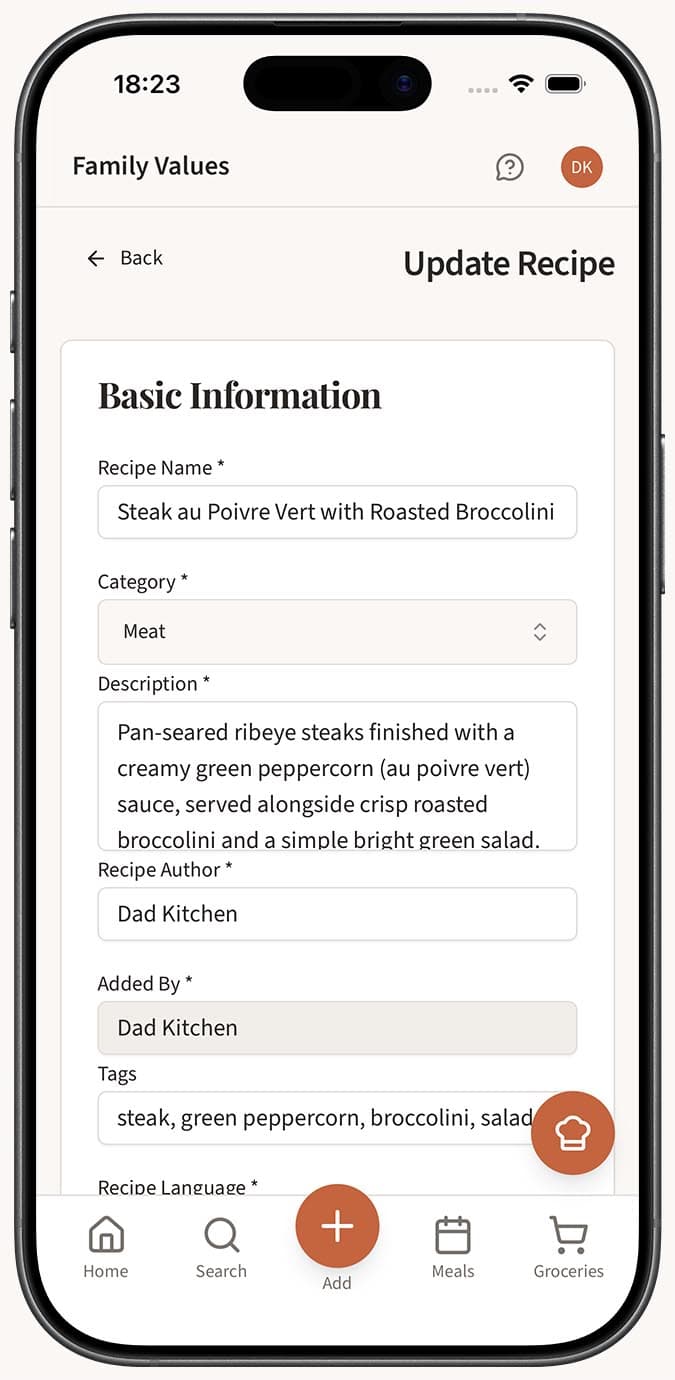
Edit the basics at the top of the editor:
- Recipe name -- Change the title to whatever you prefer.
- Description -- Add or rewrite the recipe summary.
- Author and Contributor -- Credit the original source or a family member.
-
Adjust the details:
- Servings -- Update the number of portions.
- Prep time and Cook time -- Correct or add timing information.
- Course -- Set it to breakfast, lunch, dinner, snack, dessert, or another category.
- Category -- Classify the recipe type.
- Difficulty -- Choose easy, medium, or hard.
- Language -- Set the recipe's language.
- Tags -- Add custom tags for easier searching and organizing.
-
Modify ingredients:
- Add new ingredients using the add button.
- Remove any ingredients that don't belong.
- Edit individual ingredient names, amounts, and units by tapping on them.
- Reorder ingredients by dragging and dropping them into the right position.
-
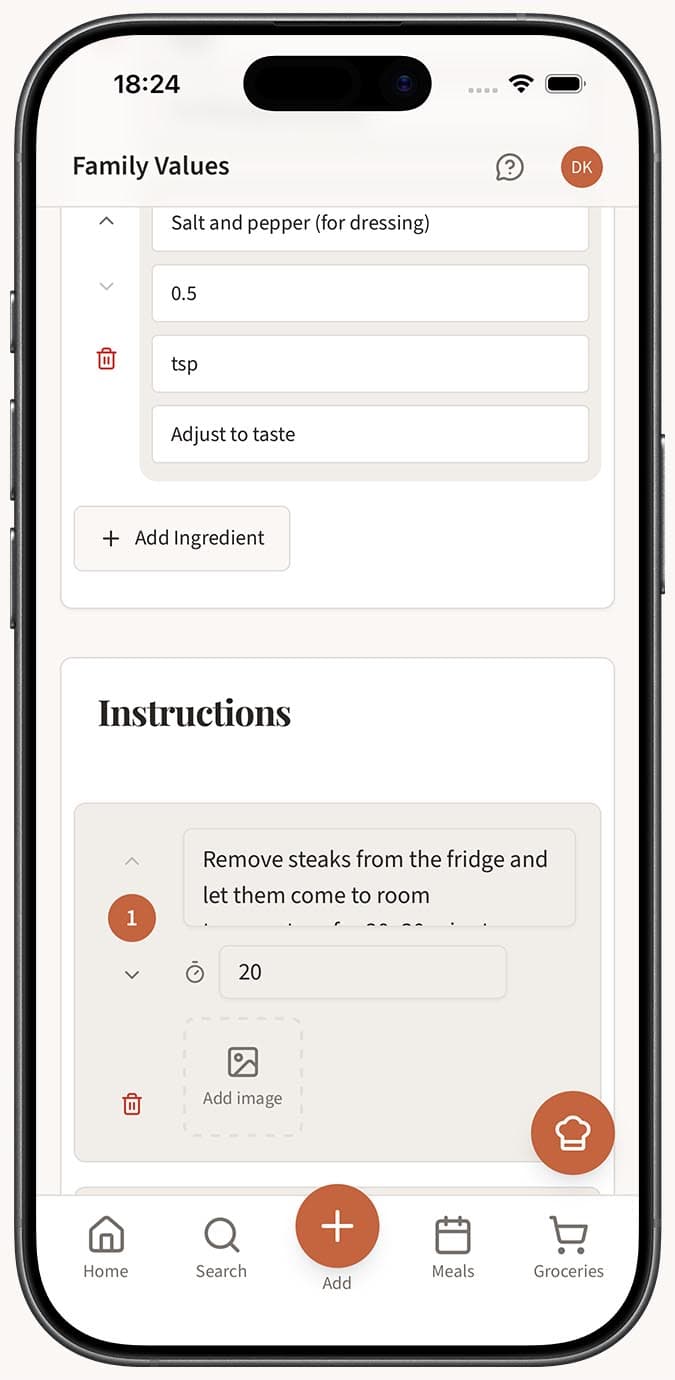
Update instructions:
- Add new steps or remove existing ones.
- Edit the text of any instruction step.
- Add step images to individual instructions for visual guidance.
- Add timers to steps that involve specific cooking durations.
- Reorder steps using drag-and-drop.
-
Manage images:
- Upload a main recipe photo or replace the existing one.
- Add additional images to showcase different stages of the dish.
-
Set visibility to public (visible to other users) or private (just for you).
-
Save your changes when you're done.
Tips
- You don't have to edit everything at once. Save the recipe first, cook it, and come back to add your own notes or corrections based on experience.
- If the AI missed an ingredient, it's usually fastest to add it directly rather than re-importing the whole recipe.
- Use step images for recipes where visual cues matter -- like showing what "golden brown" looks like or how to fold a dough properly.
- Step timers are particularly helpful for baking. Add a timer to steps like "bake for 25 minutes" so you can start a countdown right from the recipe.
- Drag-and-drop reordering for both ingredients and instructions makes it easy to restructure a recipe without retyping anything.
- Setting a recipe to public shares it with the Family Values community. Keep personal family recipes private if you prefer.
Related Questions
Frequently Asked Questions
Related Articles
How Accurate Is AI Recipe Import?
Find out how accurate the Family Values Magic AI Importer is across different source types, and learn tips for getting the best results.
How to Type in a Recipe Manually
Learn how to add a recipe by typing it into Family Values, either through the AI-powered Text tab or the full manual recipe editor.
What Is the Magic AI Importer and How Does It Work?
Discover how the Magic AI Importer in Family Values uses advanced AI to extract and structure recipes from photos, voice, text, websites, PDFs, and JSON.