How to Type in a Recipe Manually
Last updated: 2026-03-20
Quick Answer
Family Values gives you two great ways to type in a recipe. For the fastest approach, use the Magic AI Importer's Text tab at familyvalu.es -- just type or paste your recipe in any format and the AI structures it for you. For full manual control over every field, head to the recipe editor at /recipe/new and build your recipe from scratch.
Step-by-Step Walkthrough
Option 1: The AI-Powered Text Tab (Fastest)
-
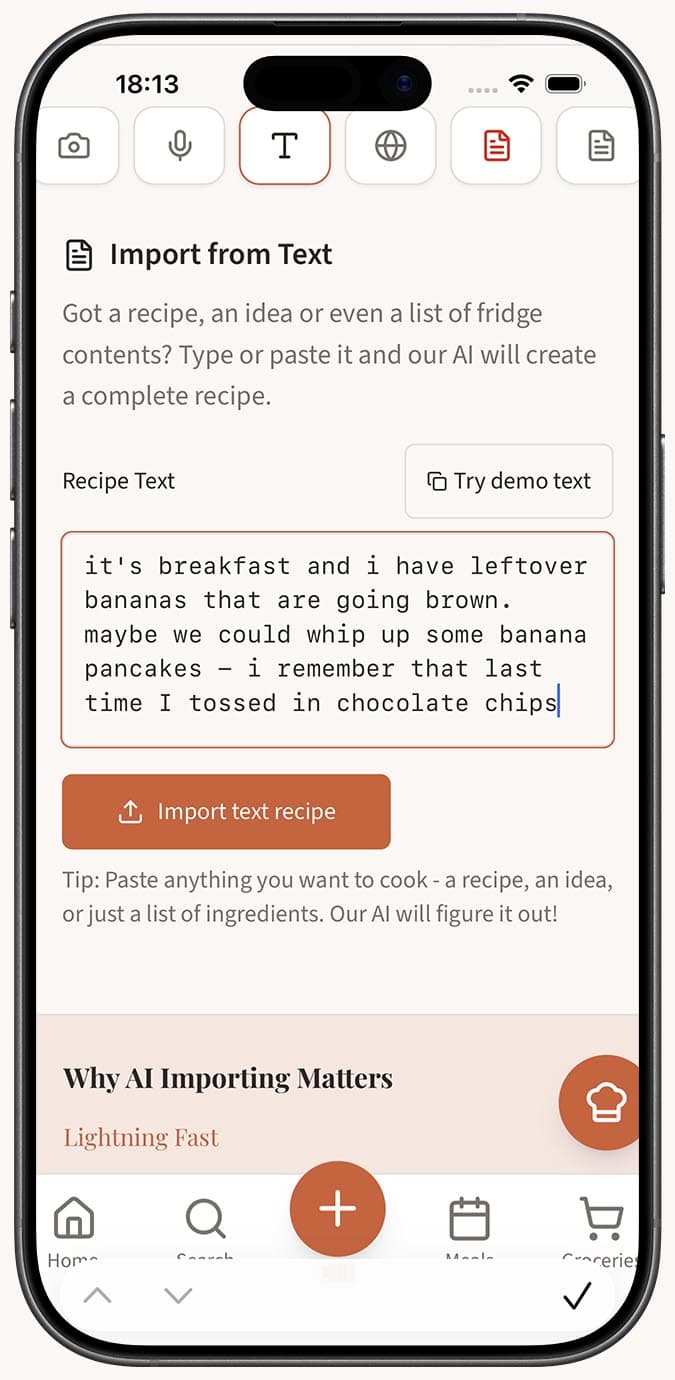
Open the Magic AI Importer and select the Text tab (the Text icon).
-
Type or paste your recipe into the text area. Don't worry about formatting -- you can write it however feels natural. An ingredient list, a rough description, or even just an idea for a dish all work.
-
Click the "Import text recipe" button. If you want to see how it works first, try the "Try demo text" option to load a sample recipe.
-
Wait a moment while the AI parses your text and extracts the recipe title, ingredients with amounts and units, instructions, servings, prep time, cook time, and difficulty.
-
Review and save your recipe. With autosave enabled, it goes straight to your collection. Otherwise, the recipe editor opens so you can refine the details.
Option 2: The Full Recipe Editor (Complete Control)
-
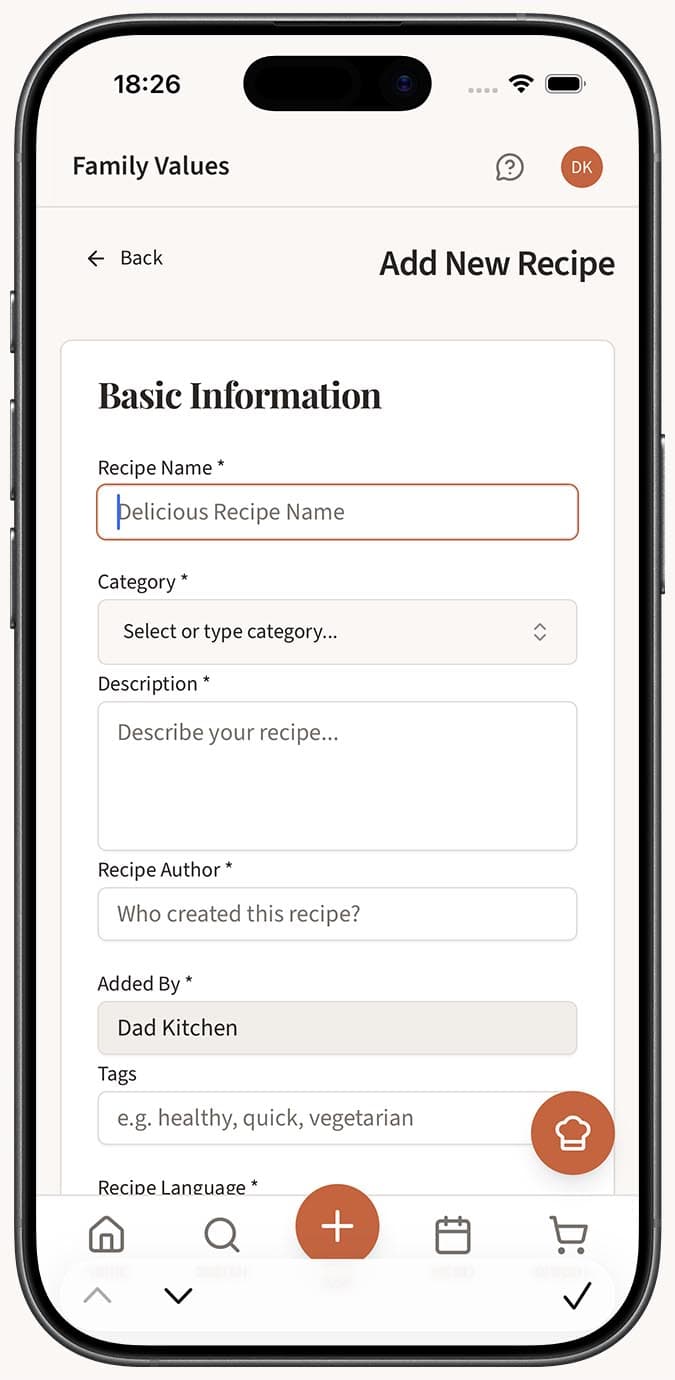
Navigate to the recipe editor by going to /recipe/new in Family Values.
-
Fill in the basic details: recipe name, description, author, and optionally a contributor.
-
Set the recipe metadata: serves count, prep time, cook time, course (breakfast, lunch, dinner, etc.), category, difficulty level, and language.
-
Add ingredients one by one, specifying the amount, unit, and ingredient name. Use the drag-and-drop handles to reorder them as needed.
-
Add instructions step by step. Each step can include a text description, an optional step image, and an optional timer for timed cooking steps. Drag-and-drop to reorder steps.
-
Upload one or more recipe images using the image field.
-
Add tags to help organize your recipe, and choose whether the recipe is public or private.
-
Save your recipe when everything looks right.
Tips
- The Text tab is surprisingly flexible. You can type "creamy garlic pasta with chicken, serves 4" and the AI will generate a full structured recipe from just that description.
- If you're transcribing a recipe from a family cookbook, the Text tab saves you from having to fill out every field individually.
- Use the manual editor when you want precision -- it's the best option for recipes where exact formatting matters to you.
- Both ingredients and instructions support drag-and-drop, so don't stress about getting the order perfect on the first try.
- Step timers in the manual editor are a nice touch for baking recipes where precise timing matters.
Related Questions
Frequently Asked Questions
Related Articles
Can I Edit a Recipe After Importing It?
Learn how to edit any recipe in Family Values after importing it. Every field is fully editable, from ingredients and instructions to images and tags.
What Is the Magic AI Importer and How Does It Work?
Discover how the Magic AI Importer in Family Values uses advanced AI to extract and structure recipes from photos, voice, text, websites, PDFs, and JSON.