What Is the Magic AI Importer and How Does It Work?
Last updated: 2026-03-20
Quick Answer
The Magic AI Importer is the heart of recipe saving in Family Values. It's an AI-powered tool that takes recipes from virtually any source -- a photo, your voice, typed text, a website URL, a PDF, or even a JSON file -- and turns them into clean, structured recipes in your collection at familyvalu.es. Think of it as a universal recipe translator that understands any format and any language.
Step-by-Step Walkthrough
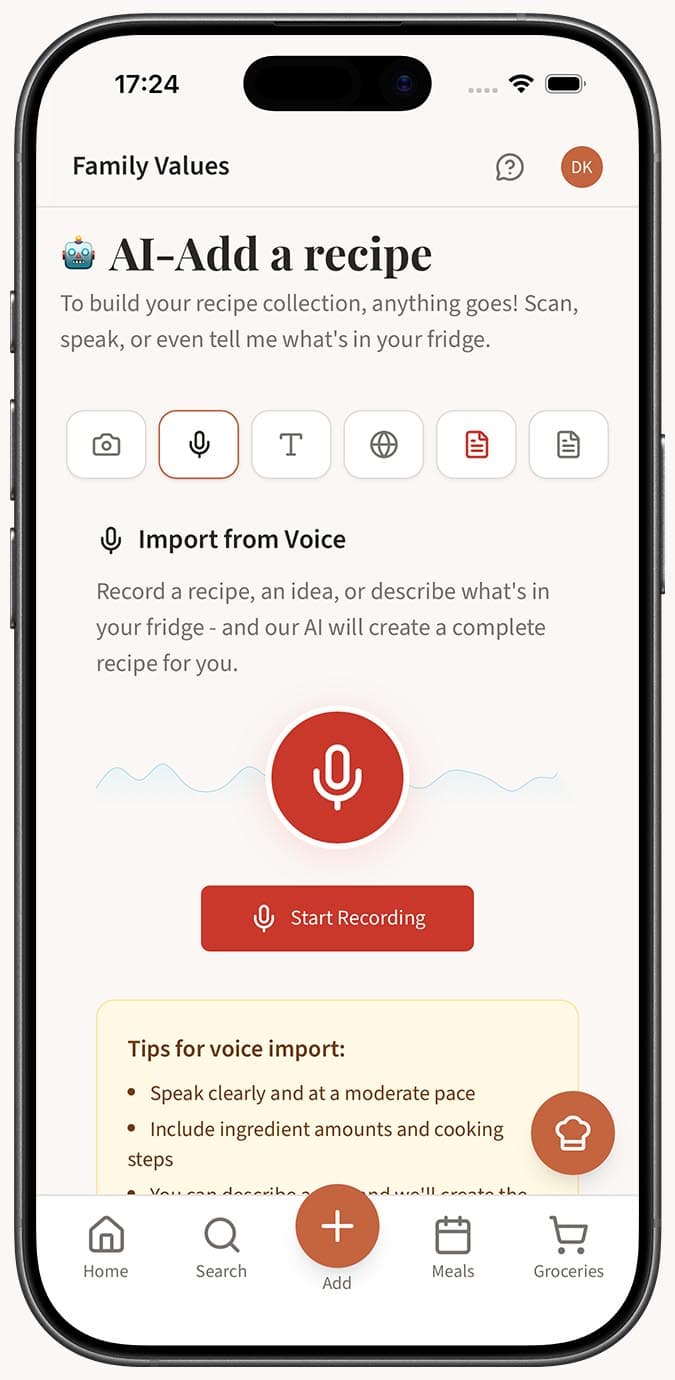
- Open the Magic AI Importer from the main navigation in Family Values. You'll see six input tabs: Image, Voice, Text, Webpage, PDF, and JSON.
-
Choose the tab that matches your source. Each tab is designed for a specific input type:
- Image -- Snap a photo or upload a picture of a recipe from a cookbook, handwritten card, or magazine.
- Voice -- Tap the record button and speak your recipe out loud. Great for recipes in your head.
- Text -- Type or paste recipe text in any format. Even a rough description or ingredient list works.
- Webpage -- Paste a URL from any recipe website and the AI extracts just the recipe, skipping the ads and life stories.
- PDF -- Upload a PDF containing one or more recipes.
- JSON -- Import structured recipe data in JSON format, useful for migrating from other apps.
-
Submit your content using the tab's action button. The AI gets to work immediately.
-
Wait while the AI analyzes your input. Behind the scenes, it identifies and extracts the recipe title, description, ingredients (with precise amounts and units), step-by-step instructions, course type, difficulty level, servings, prep time, and cook time.
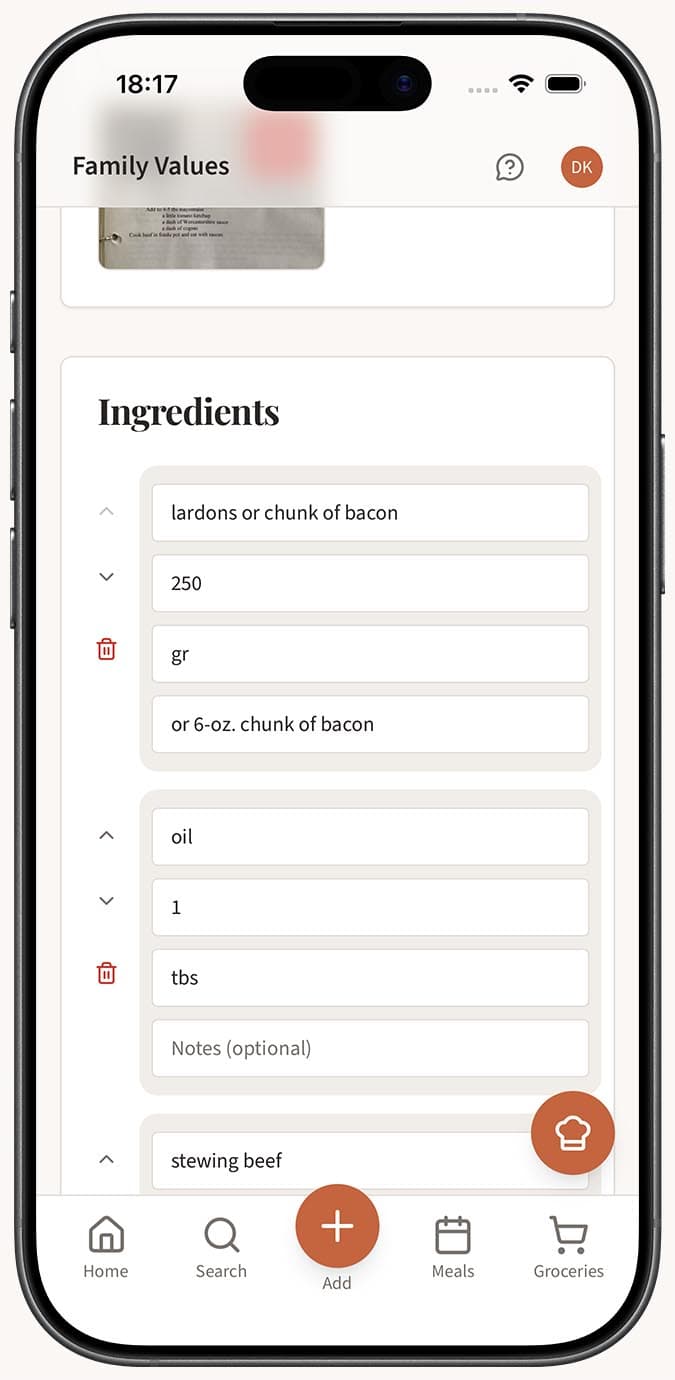
- Review the extracted recipe. If you have autosave enabled in your settings, the recipe saves directly to your collection. If autosave is off, the recipe editor opens with all fields pre-filled so you can adjust anything before saving.
Tips
- The AI Importer works in all 7 languages supported by Family Values: English, French, Spanish, Russian, Chinese, German, and Italian. You can import a recipe written in French and it will be extracted with full accuracy.
- You don't need to worry about perfect input. The AI is designed to handle messy handwriting, casual spoken descriptions, cluttered web pages, and loosely formatted text.
- Every recipe that comes through the AI Importer is fully editable afterward. The AI gives you a strong starting point, and you have complete control to refine it.
- The Image tab accepts JPG, PNG, and HEIC files, so photos straight from your phone camera work perfectly.
- If one import method doesn't give great results for a particular recipe, try another tab. For example, if a photo of a handwritten recipe is hard to read, try dictating it with the Voice tab instead.
Related Questions
Frequently Asked Questions
Related Articles
How to Save a Recipe from a Website
Learn how to save any recipe from a website into Family Values using the Magic AI Importer's Webpage tab.
How to Save a Recipe from a Photo or Screenshot
Turn any recipe photo or screenshot into a digital recipe in Family Values using the Magic AI Importer's Image tab.
What Types of Files and Sources Can I Import Recipes From?
A complete guide to every recipe source the Family Values Magic AI Importer supports, from photos and voice to websites, PDFs, and JSON files.