How to Digitize Handwritten Recipes
Last updated: 2026-03-20
Quick Answer
Those handwritten recipe cards from your grandmother, the stained notebook pages from your mother, the index card tucked inside an old cookbook -- they deserve to last forever. Family Values lets you photograph those treasured handwritten recipes and turn them into clean, digital versions you can cook from, share, and pass down. Just snap a photo and let the Magic AI Importer at familyvalu.es do the rest.
Step-by-Step Walkthrough
-
Photograph the handwritten recipe. Lay the card or page on a flat, well-lit surface. Natural daylight works best. Make sure the entire recipe is visible and the text is as sharp as possible.
-
Open the Magic AI Importer in Family Values and select the Image tab (the Camera icon).
-
Upload your photo by clicking the upload area or dragging and dropping it. The file must be under 10MB.
-
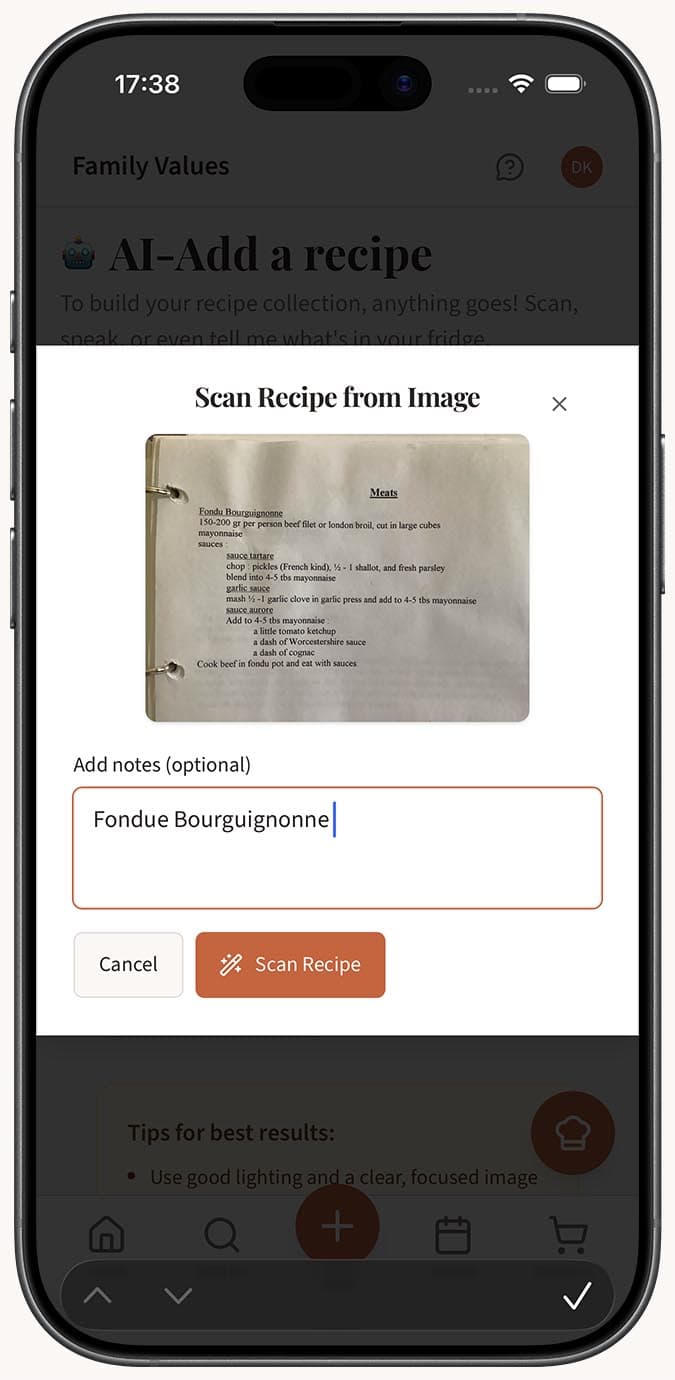
Add context in the optional notes field. This is especially helpful for handwritten recipes. For example, type "Grandma's banana bread recipe" or "Italian cookie recipe, measurements are in grams." This helps the AI interpret unclear words.
-
Click the "Scan Recipe" button.
-
Review the extracted recipe carefully. Handwritten recipes sometimes use abbreviations like "tsp" or "c." and the AI usually expands them correctly, but it's worth double-checking. Edit any fields that need correction in the recipe editor.
Tips
- Lighting matters more than camera quality. Avoid shadows falling across the text. Overhead lighting or a spot near a window works well.
- If the recipe card is curved or wrinkled, gently flatten it under a book for a minute before photographing. A flat surface makes every word easier for the AI to read.
- For faded ink, try increasing your phone's exposure or brightness before taking the photo. A little extra contrast helps.
- Photograph one recipe at a time for the best results. If a page has multiple recipes, use the notes field to specify which one you want.
- Don't worry about stains, splatter marks, or yellowed paper -- the AI focuses on the handwriting and filters out the noise.
- After digitizing, consider adding a personal note to the recipe like "From Grandma Rose's kitchen, circa 1965" to preserve the story behind the food.
Related Questions
Frequently Asked Questions
Related Articles
How to Save a Recipe from a Photo or Screenshot
Turn any recipe photo or screenshot into a digital recipe in Family Values using the Magic AI Importer's Image tab.
How Accurate Is AI Recipe Import?
Find out how accurate the Family Values Magic AI Importer is across different source types, and learn tips for getting the best results.
Can I Edit a Recipe After Importing It?
Learn how to edit any recipe in Family Values after importing it. Every field is fully editable, from ingredients and instructions to images and tags.