How to Save a Recipe from a Website
Last updated: 2026-03-20
Quick Answer
Found a recipe online you want to keep forever? Family Values makes it simple. Just copy the URL, paste it into the Magic AI Importer's Webpage tab, and let the AI do the rest. In seconds, you'll have a clean, editable recipe saved to your collection at familyvalu.es.
Step-by-Step Walkthrough
-
Find the recipe you want to save on any website and copy the page URL from your browser's address bar.
-
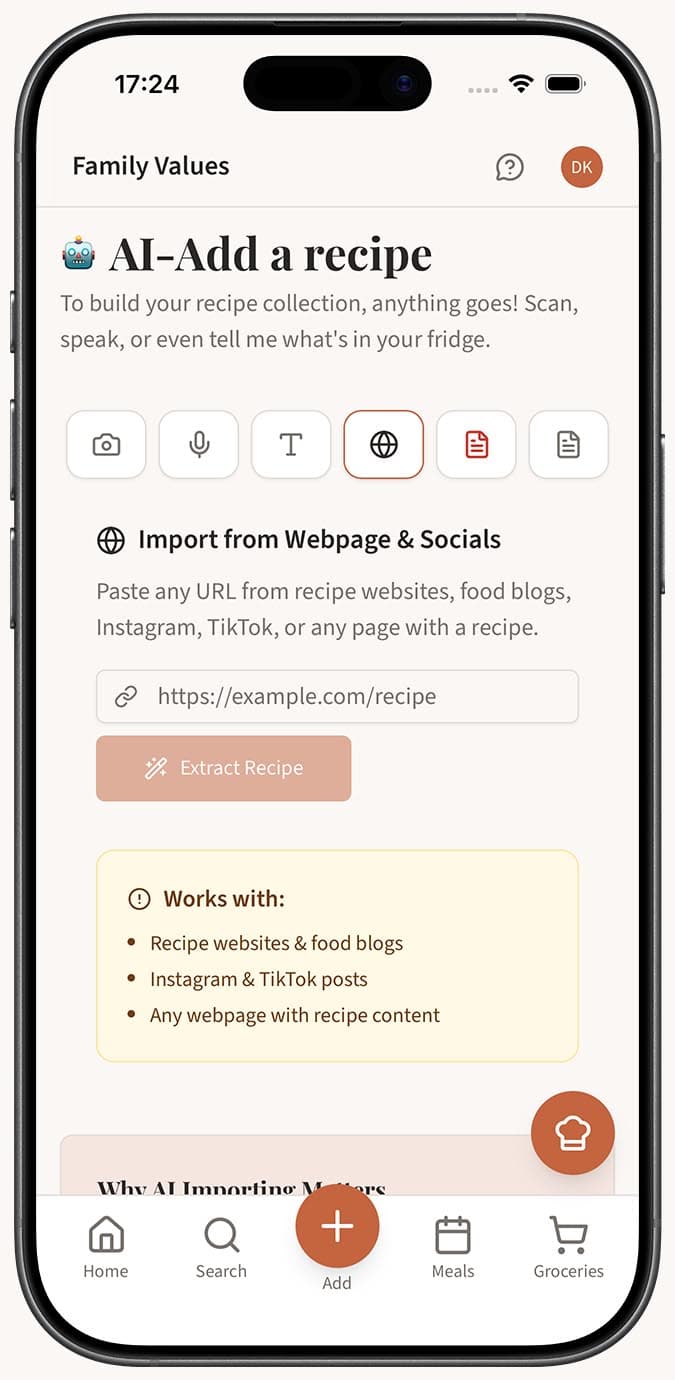
Open the Magic AI Importer in Family Values and select the Webpage tab (the Globe icon).
-
Paste the URL into the input field where it says "https://example.com/recipe".
-
Click the "Extract Recipe" button to start the import.
-
Wait a few seconds while the AI reads the page, identifies the recipe, and extracts the title, ingredients, instructions, prep time, cook time, and servings.
-
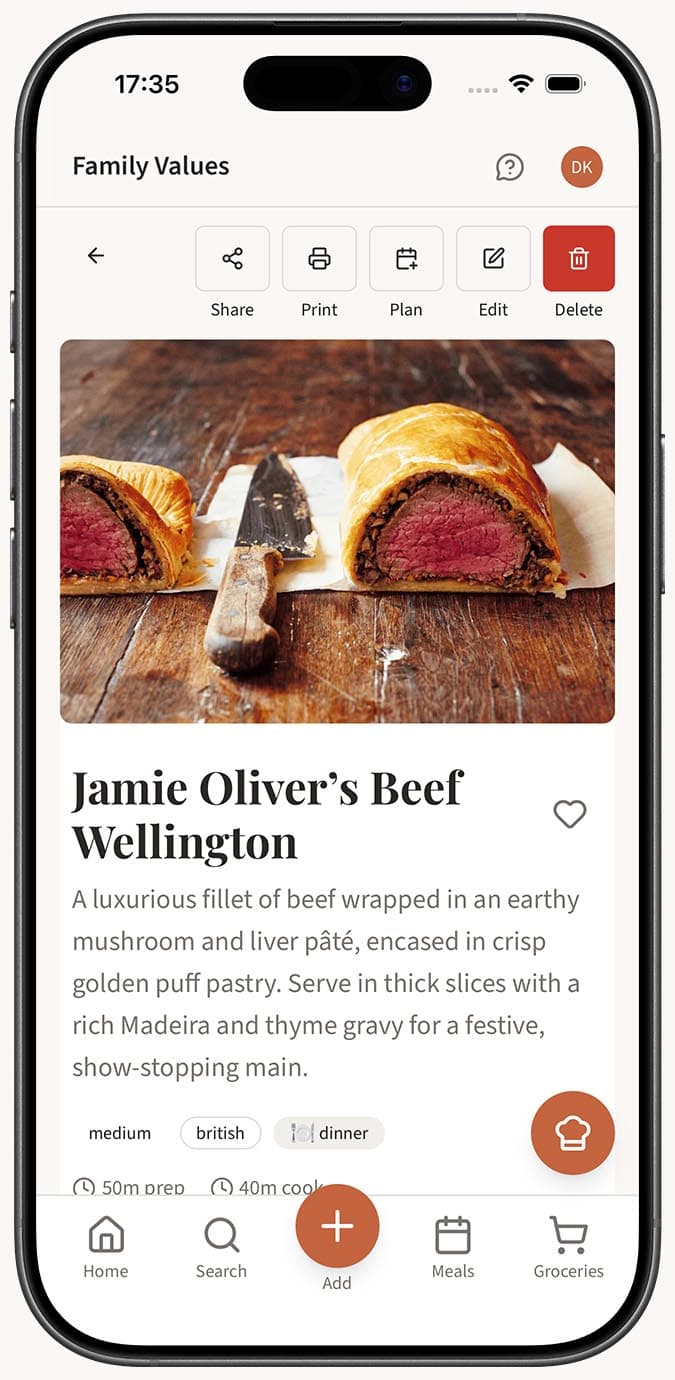
Review your imported recipe. If autosave is enabled in your settings, the recipe saves automatically. If not, you'll land in the recipe editor with all the fields pre-filled so you can make any adjustments before saving.
Tips
- You don't need to clean up the URL first. The AI is smart enough to ignore ads, navigation menus, and other page clutter -- it zeroes in on the recipe content.
- This works great with recipe blogs that bury the actual recipe under a long personal story. The AI skips right to the good stuff.
- If a website blocks extraction, try the alternative approach: select the recipe text on the page, copy it, and paste it into the Text tab instead.
- Imported recipes are fully editable. Swap out an ingredient, adjust the servings, or add your own notes after saving.
- The Webpage tab also works with social media links from Instagram and TikTok -- see our guide on saving recipes from social media for more details.
Related Questions
Frequently Asked Questions
Related Articles
How to Save a Recipe from Instagram or Social Media
Save recipes from Instagram, TikTok, and other social media platforms into Family Values using the Magic AI Importer.
What Is the Magic AI Importer and How Does It Work?
Discover how the Magic AI Importer in Family Values uses advanced AI to extract and structure recipes from photos, voice, text, websites, PDFs, and JSON.
What Types of Files and Sources Can I Import Recipes From?
A complete guide to every recipe source the Family Values Magic AI Importer supports, from photos and voice to websites, PDFs, and JSON files.