Cómo guardar una receta desde un PDF
Última actualización: 2026-03-20
Respuesta rápida
¿Tienes una receta guardada como PDF, quizá de un libro de cocina en línea, de un servicio de entrega de comidas o de un archivo adjunto en el correo de un amigo? Family Values tiene una pestaña dedicada a PDF en el Magic AI Importer que lee el documento y extrae la receta por ti. Sube el archivo en familyvalu.es y tendrás una receta editable en cuestión de momentos.
Guía paso a paso
-
Ubica el archivo PDF en tu dispositivo. Puede ser un capítulo de un libro de cocina descargado, una receta que te enviaron por correo electrónico o un PDF guardado desde un sitio web.
-
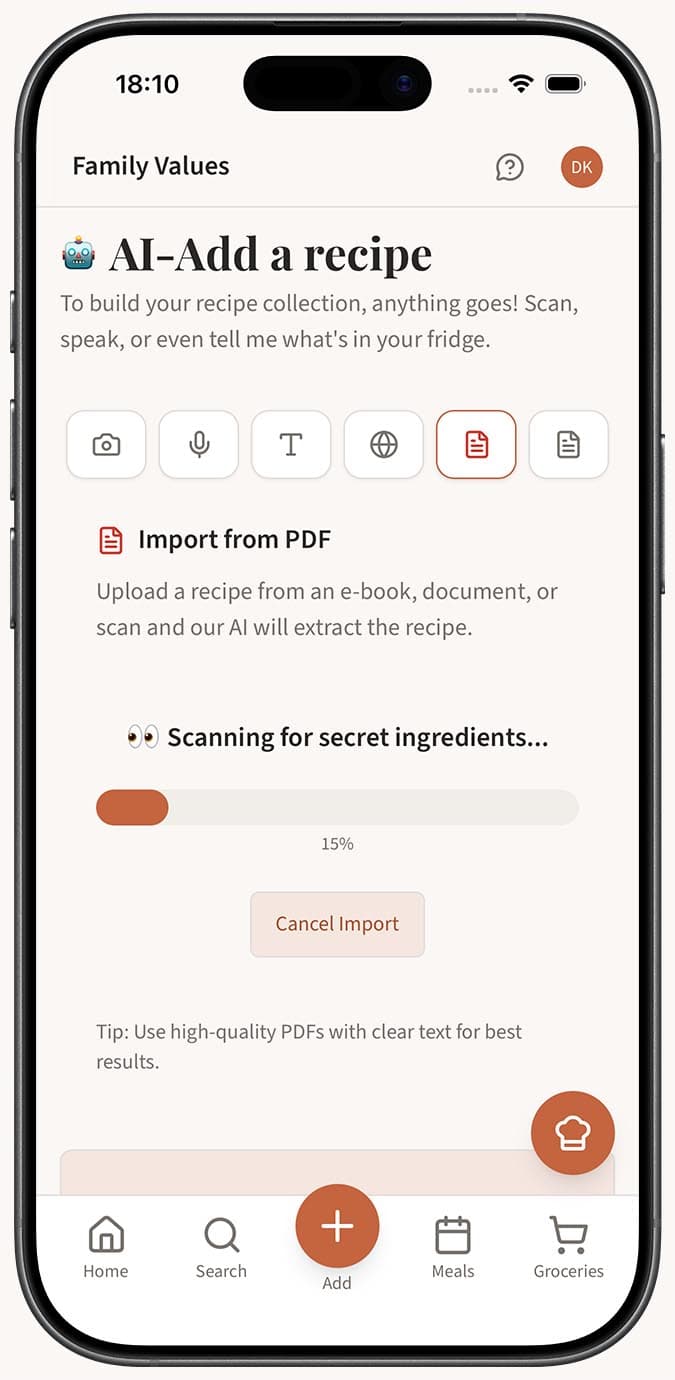
Abre el Magic AI Importer en Family Values y selecciona la pestaña PDF (el icono de archivo).
-
Sube tu PDF arrastrándolo y soltándolo en la zona de carga, o haz clic en el botón "Elegir PDF" para explorar tus archivos. El archivo debe ser menor de 5 MB.
-
Espera mientras la AI lee el contenido del PDF. Extrae el texto del documento, identifica la estructura de la receta y analiza el título, los ingredientes, las instrucciones, los tiempos de cocción y las porciones.
-
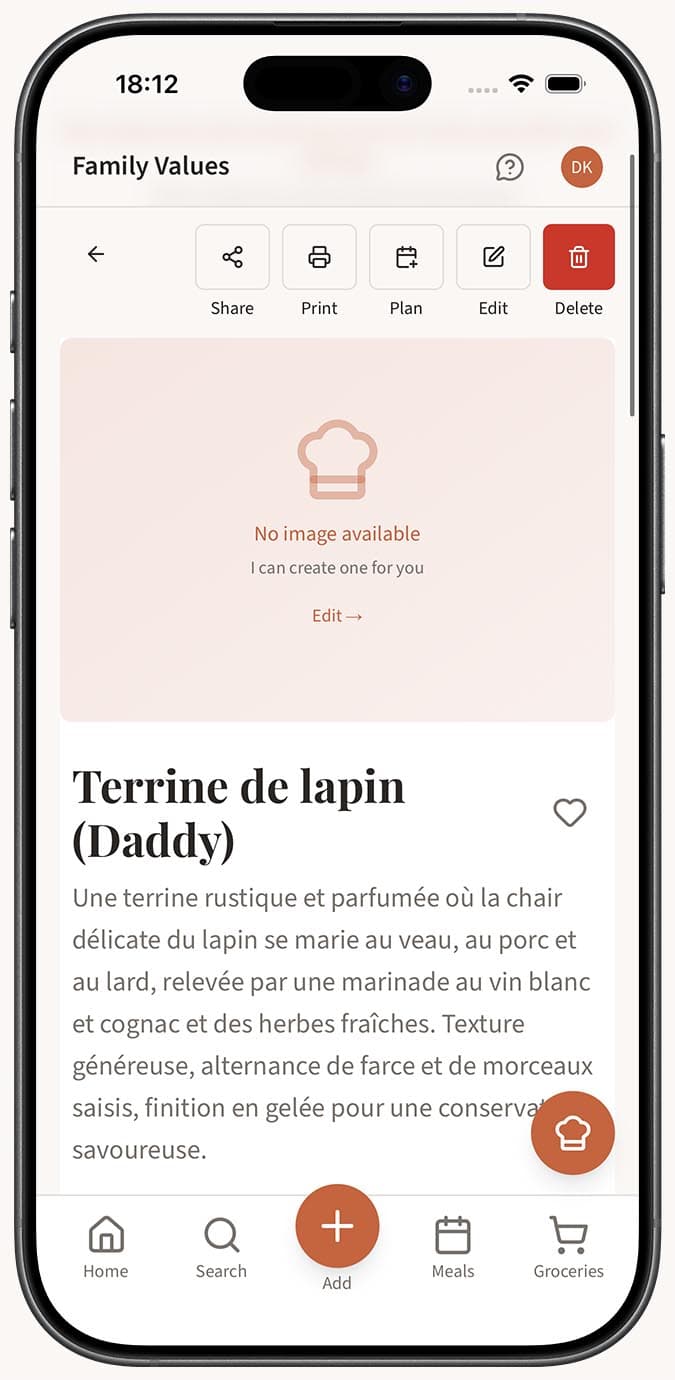
Revisa la receta importada. Si el guardado automático está activado en tu configuración, la receta se guardará en tu colección automáticamente. Si el guardado automático está desactivado, verás el editor de recetas con todos los datos extraídos ya completados, listo para que los revises y ajustes antes de guardar.
Consejos
- La pestaña PDF funciona tanto con PDF basados en texto como con PDF escaneados/de imagen. Si el PDF contiene texto seleccionable, la extracción es más rápida y precisa. Los PDF escaneados también funcionan: la AI usa reconocimiento de imágenes.
- En PDF grandes de libros de cocina con muchas recetas, la AI funciona mejor cuando reduces el contenido. Si es posible, extrae solo la página o las páginas con la receta que quieres antes de subirlo.
- Los PDF de recetas de servicios de kits de comida (como HelloFresh, Blue Apron, etc.) se importan de maravilla, ya que siguen un formato uniforme y limpio.
- Si el PDF está protegido con contraseña, primero tendrás que quitar la protección antes de subirlo.
- ¿No tienes un PDF pero sí la receta como texto sin formato en un documento? Copia el texto y usa la pestaña Text en su lugar: solo pégalo y haz clic en "Import text recipe."
- Después de importar, puedes editar todos los campos. Añade tus propias notas, ajusta las porciones o cambia ingredientes para hacer la receta tuya.
Preguntas relacionadas
Preguntas frecuentes
Artículos relacionados
Cómo importar una receta desde una página de un libro de cocina
Fotografía una página de cualquier libro de cocina e impórtala a Family Values usando la pestaña Imagen del Magic AI Importer.
¿Qué es el Magic AI Importer y cómo funciona?
Descubre cómo el Magic AI Importer de Family Values usa AI avanzada para extraer y estructurar recetas a partir de fotos, voz, texto, sitios web, PDF y JSON.
¿Puedo editar una receta después de importarla?
Aprende a editar cualquier receta en Family Values después de importarla. Todos los campos se pueden editar por completo, desde los ingredientes y las instrucciones hasta las imágenes y las etiquetas.