Posso pianificare i pasti con più di una settimana di anticipo?
Last updated: 2026-03-20
Risposta rapida
Sì, assolutamente. Il pianificatore pasti di Family Values su familyvalu.es ti consente di navigare liberamente tra le settimane, così puoi pianificare i pasti con tutto l'anticipo che ti serve. Ti basta usare i pulsanti freccia per andare avanti fino a qualsiasi settimana futura e iniziare ad aggiungere ricette.
Guida passo passo
-
Apri il Pianificatore pasti su /meal-planner in Family Values.
-
Fai clic sul pulsante con la freccia destra nella parte superiore del calendario per andare avanti di una settimana. Ogni clic fa avanzare la visualizzazione di sette giorni.
-
Continua a fare clic per spostarti avanti di quante settimane vuoi. Non c'è un massimo: pianifica per la prossima settimana, quella successiva o anche per un mese da adesso.
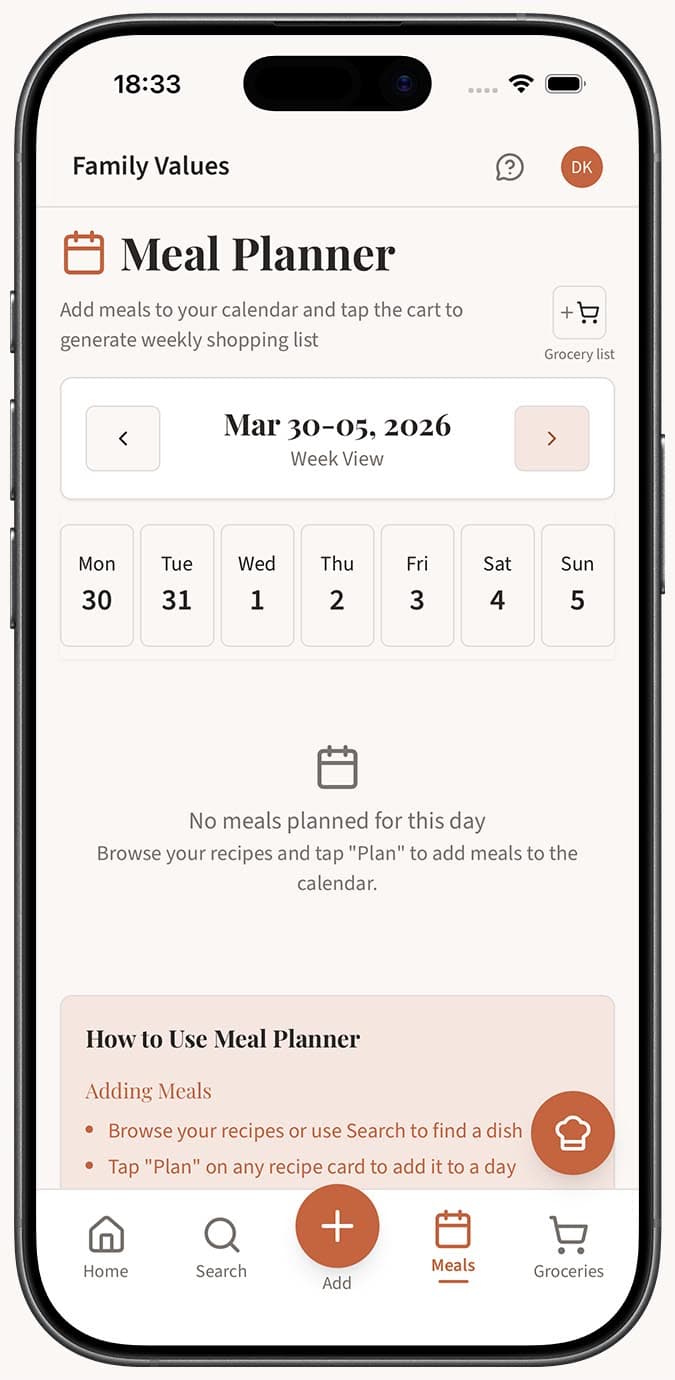
-
Aggiungi ricette alla settimana futura proprio come faresti per la settimana corrente. Sfoglia la raccolta di ricette, fai clic su "Plan" su una ricetta, seleziona la data e la portata, imposta le porzioni e fai clic su "Add."
-
Compila tutte le settimane future che vuoi continuando a navigare in avanti e ad aggiungere pasti.
-
Torna alla settimana corrente in qualsiasi momento facendo clic sul pulsante "Today". Questo riporta immediatamente la visualizzazione del calendario alla settimana che contiene la data di oggi.
-
Genera liste della spesa per qualsiasi settimana pianificata. Vai alla settimana per cui vuoi fare la spesa e fai clic sull'icona del carrello per creare una lista specifica per i pasti di quella settimana.
Suggerimenti
- Pianificare due settimane alla volta è un ottimo equilibrio per molte famiglie. Ti dà abbastanza margine per restare organizzato senza risultare opprimente.
- Usa le settimane passate come fonte di ispirazione. Torna indietro per vedere cosa hai cucinato in precedenza e aggiungi di nuovo i pasti che hanno avuto successo.
- Se stai pianificando in base a un evento specifico, come una cena delle feste o un compleanno, vai prima a quella settimana e costruisci il resto del piano attorno al pasto speciale.
- Genera le liste della spesa una settimana alla volta così i tuoi ingredienti restano freschi. Puoi sempre generare una nuova lista quando si avvicina la settimana pianificata successiva.
- Il pulsante "Today" è il tuo modo più rapido per tornare al presente. Non importa quanto lontano nel futuro tu sia andato, basta un clic per tornare all'oggi.
Domande correlate
Frequently Asked Questions
Related Articles
Come usare il calendario settimanale dei pasti
Una guida alla vista del calendario settimanale dei pasti di Family Values, inclusi navigazione, slot giornalieri, sezioni per portata e riepilogo della settimana.
Come pianificare i pasti per la settimana
Scopri come usare il pianificatore pasti di Family Values per organizzare colazione, pranzo e cena per l'intera settimana in un'unica semplice vista.