How to Add Recipes to Your Meal Planner
Last updated: 2026-03-20
Quick Answer
Adding a recipe to your meal plan in Family Values is as easy as clicking a button. From the Meal Planner page at familyvalu.es, find any recipe in your library, click "Plan," pick a date and course, set your servings, and hit "Add." Your recipe lands right on the calendar.
Step-by-Step Walkthrough
-
Navigate to the /meal-planner page in Family Values. You'll see the weekly calendar on the left and your recipe library on the right.
-
Browse or search for the recipe you want to add. The recipe library panel includes a search bar at the top and a category filter so you can quickly find what you're looking for -- whether that's a specific dish or just something in the "Soups" category.
-
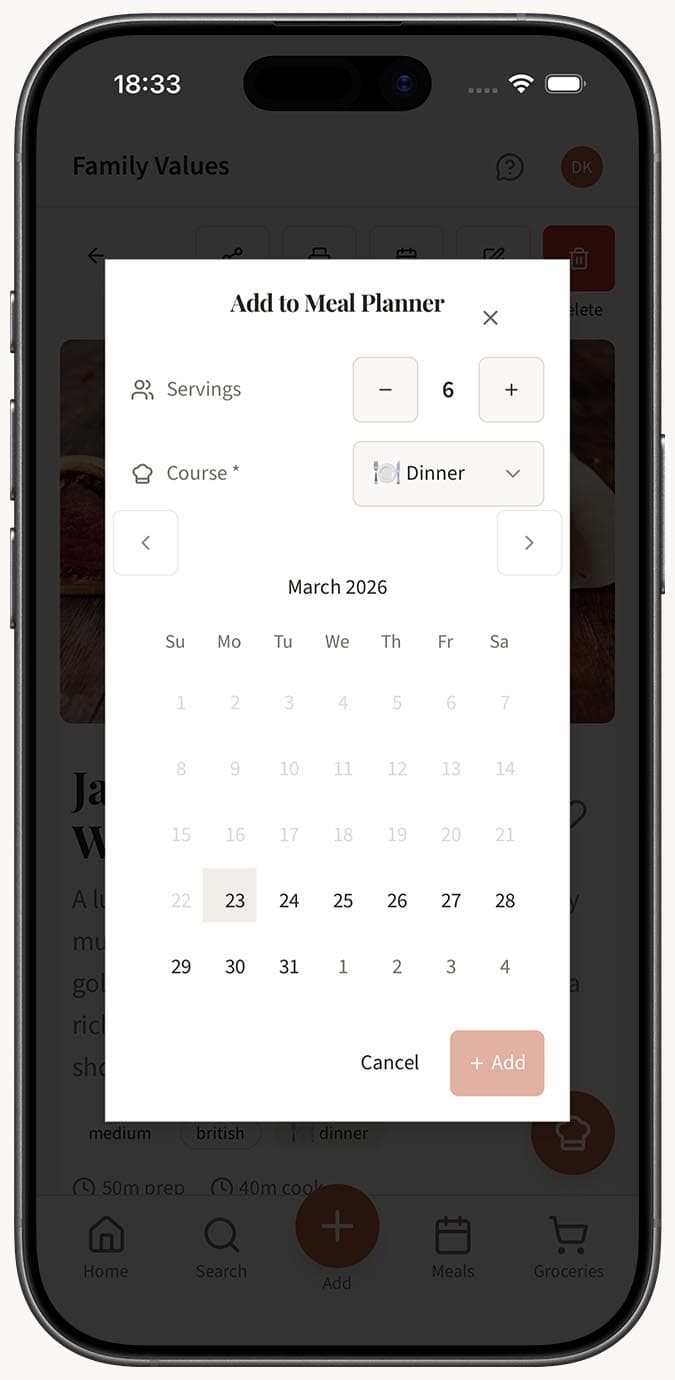
Click the "Plan" button on the recipe card. A popover will appear with three options to configure.
-
Select the date using the date selector in the popover. It defaults to the current week, but you can pick any day you'd like.
-
Choose the course -- Breakfast, Lunch, or Dinner -- to place the recipe in the right slot for that day.
-
Adjust the servings using the servings adjuster. Increase or decrease depending on how many people you're cooking for. This number is used later when generating your shopping list, so it's worth getting right.
-
Click "Add" to confirm. The recipe will immediately appear on your calendar under the selected day and course, showing the recipe name, cook time, and serving count.
- Repeat for every meal you want to plan. There's no limit to how many recipes you can add per day or per week.
Tips
- Use the category filter to quickly narrow recipes by type. Looking for breakfast ideas? Filter to that category and browse only relevant options.
- The search bar is the fastest way to find a specific recipe by name if you already know what you want to cook.
- Set servings thoughtfully. If you're cooking for four people but want leftovers, bump it up to six. Your shopping list will scale accordingly.
- You can add multiple recipes to the same course slot if you want to prepare a main dish and a side together for dinner, for example.
- On mobile, scroll past the calendar to reach the recipe library panel below.
Related Questions
Frequently Asked Questions
Related Articles
How to Plan Meals for the Week
Learn how to use the Family Values meal planner to organize breakfast, lunch, and dinner for the entire week in one simple view.
How to Change or Swap a Planned Meal
Learn how to remove a planned meal and replace it with a different recipe in the Family Values meal planner.
How to Search and Filter Your Recipes
Learn how to use the powerful search and filter tools in Family Values to find recipes by name, ingredient, category, course, difficulty, and more.