How to Plan Meals for a Family
Last updated: 2026-03-20
Quick Answer
Family Values is built for exactly this -- planning meals that work for your whole household. From the meal planner at familyvalu.es, you can assign recipes to each day and course, adjust servings to match your family size, and generate a single shopping list that covers everything for the week.
Step-by-Step Walkthrough
-
Open the Meal Planner at /meal-planner in Family Values.
-
Think through your family's week. Consider school schedules, activities, and which nights you have more or less time to cook. Busy nights call for quick recipes; relaxed evenings are great for something more involved.
-
Browse the recipe library on the right side of the page. Use the search bar and category filter to find recipes your family enjoys.
-
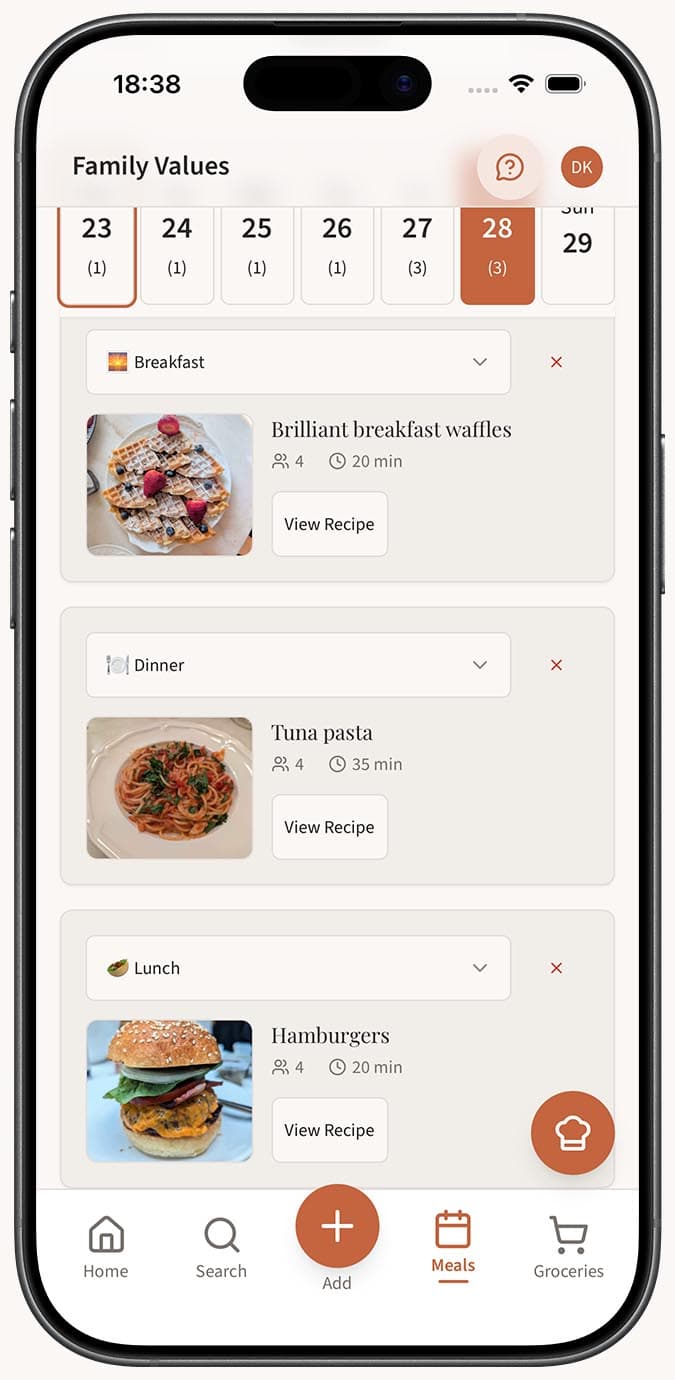
Click "Plan" on a recipe, then pick the date and course (breakfast, lunch, or dinner). Before hitting "Add," set the servings to match your family size. If you're cooking for a family of five, set it to five. Want leftovers for lunch boxes? Bump it up.
-
Fill in the week by repeating the process for each meal. Focus on dinners first if that's where most of the cooking effort goes, then layer in breakfasts and lunches.
-
Review the week summary to see your Total Meals, Unique Recipes, Total Servings, and Total Cook Time. This gives you a realistic picture of the week's cooking load.
-
Generate a shopping list by clicking the cart icon button. Family Values consolidates all ingredients from every planned meal, scales quantities based on your servings, merges duplicates, and organizes items by category. One trip to the store, and you're set.
Tips
- Set servings based on who's actually eating each meal. Not everyone in the family may eat breakfast at home, so there's no need to over-plan.
- Plan a "leftovers night" once a week to reduce food waste and give yourself a break from cooking.
- If your kids are picky, involve them in picking a recipe or two for the week. Family Values makes it easy to browse options together.
- Use the same recipe on multiple days if your family has staple breakfasts or lunches. There's nothing wrong with a routine.
- Generate the shopping list after you've finalized the plan. Making changes afterward means you'll want to regenerate it to keep quantities accurate.
Related Questions
Frequently Asked Questions
Related Articles
How to Plan Meals for the Week
Learn how to use the Family Values meal planner to organize breakfast, lunch, and dinner for the entire week in one simple view.
How to Generate a Grocery List from Your Meal Plan
Learn how to automatically generate a consolidated, categorized grocery list from your weekly meal plan in Family Values.
Tips for Efficient Weekly Meal Planning with a Recipe App
Practical tips and strategies for making the most of the Family Values meal planner to save time, reduce food waste, and simplify your week.