How to Import Recipes in Different Languages
Last updated: 2026-03-20
Quick Answer
The Magic AI Importer in Family Values can extract recipes in virtually any language, not just the 7 interface languages. Whether you found a recipe on a French cooking blog, photographed a page from an Italian cookbook, or want to dictate your abuela's recipe in Spanish, it all works at familyvalu.es. The AI understands the recipe structure regardless of the language it's written in.
Step-by-Step Walkthrough
-
Open the Magic AI Importer in Family Values and choose the input tab that matches your source -- Image, Voice, Text, Webpage, PDF, or JSON.
-
Import your recipe as you normally would. There's no language selector to set before importing. The AI automatically detects the language and processes the recipe accordingly.
-
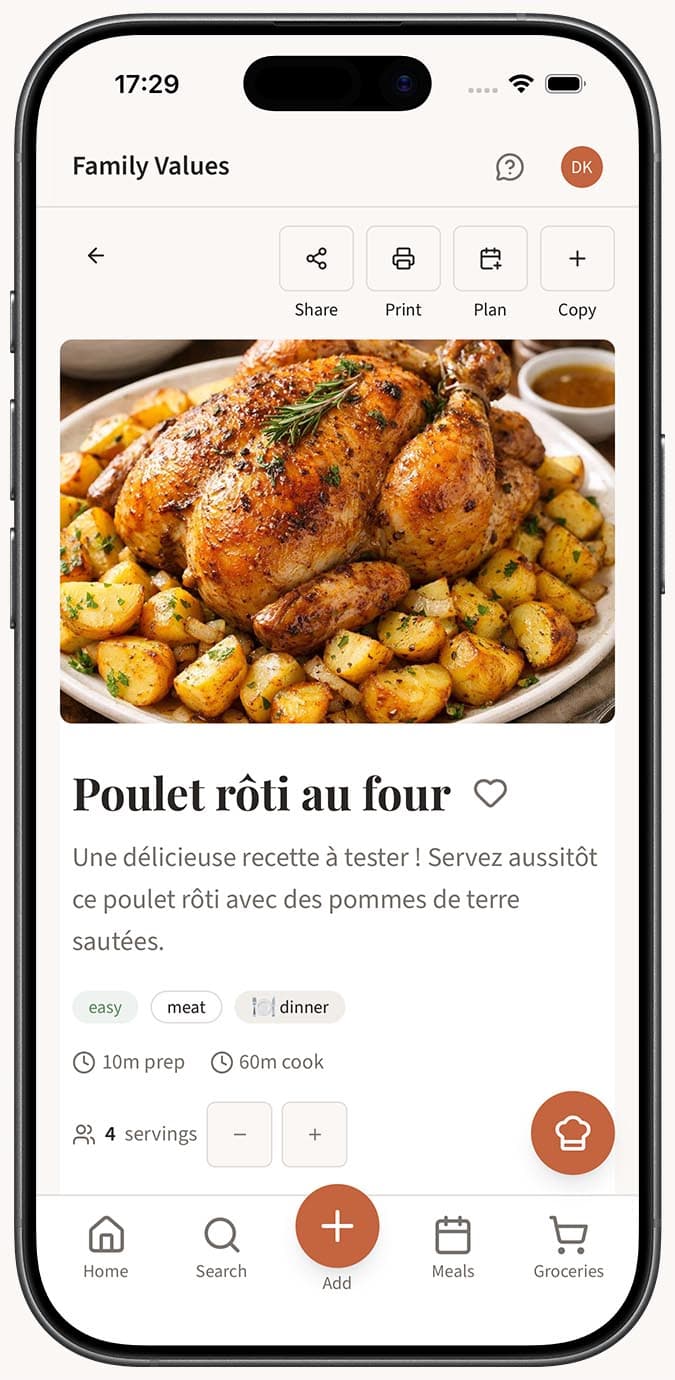
Review the extracted recipe. You'll notice that the AI preserves the original language of the recipe content. A recipe imported from a German website will have German ingredient names and German instructions.
-
Set the recipe language in the recipe editor if you want to tag it properly. The language field helps you organize and filter your collection when you have recipes in multiple languages.
-
Save the recipe to your collection. It sits alongside all your other recipes regardless of language.
Voice Recording in Other Languages
The Voice tab deserves a special mention for multilingual use:
- Open the Voice tab and tap the red record button.
- Speak your recipe in whatever language is most natural. The transcription engine supports multiple languages and will transcribe your speech accurately.
- Tap "Done Recording" and let the AI process the transcription into a structured recipe.
This is particularly powerful for preserving family recipes -- you can dictate a recipe exactly the way a relative described it to you, in their original language.
Webpage Import in Any Language
The Webpage tab works with recipe websites from around the world:
- French sites like Marmiton or Journal des Femmes
- Spanish sites like Recetas Gratis or Directo al Paladar
- German sites like Chefkoch or Lecker
- Italian sites like GialloZafferano or Cucchiaio d'Argento
- Chinese cooking sites, Russian culinary blogs, and more
Simply paste the URL and the AI handles the rest, extracting the recipe content in its original language.
Tips
- The AI extraction is just as accurate in non-English languages as it is in English. Ingredient amounts, units, and cooking steps are recognized across all supported languages.
- If you want to cook from a foreign recipe but need help with certain terms, consider keeping the recipe in its original language and looking up unfamiliar ingredients individually -- this preserves the recipe's authenticity.
- The 7 interface languages (English, French, Spanish, Russian, Chinese, German, Italian) control the app's buttons, menus, and navigation. Your recipe content is independent of this setting.
- When importing via voice in a non-English language, speaking clearly and at a steady pace is especially helpful for accurate transcription.
- You can mix languages in your collection freely. Use tags or the language field to help you find recipes in a specific language later.
- Photo imports work well with non-Latin scripts too. The AI can read Chinese characters, Cyrillic text, and other writing systems from images.
Related Questions
Frequently Asked Questions
Related Articles
What Is the Magic AI Importer and How Does It Work?
Discover how the Magic AI Importer in Family Values uses advanced AI to extract and structure recipes from photos, voice, text, websites, PDFs, and JSON.
What Types of Files and Sources Can I Import Recipes From?
A complete guide to every recipe source the Family Values Magic AI Importer supports, from photos and voice to websites, PDFs, and JSON files.
How Accurate Is AI Recipe Import?
Find out how accurate the Family Values Magic AI Importer is across different source types, and learn tips for getting the best results.