How to Print a Recipe
Last updated: 2026-03-20
Quick Answer
Family Values includes a built-in print feature for every recipe. Open any recipe on familyvalu.es, tap the Print button on the recipe detail page, and a clean, printer-friendly layout will open at /recipe/your-recipe-slug/print. From there, use your browser's print dialog to send it to your printer or save it as a PDF.
Step-by-Step Walkthrough
- Open the recipe you want to print. Navigate to it from your collection, search results, or a shared link.
- Tap the Print button on the recipe detail page. This button is located alongside other actions like the copy link and heart icon.
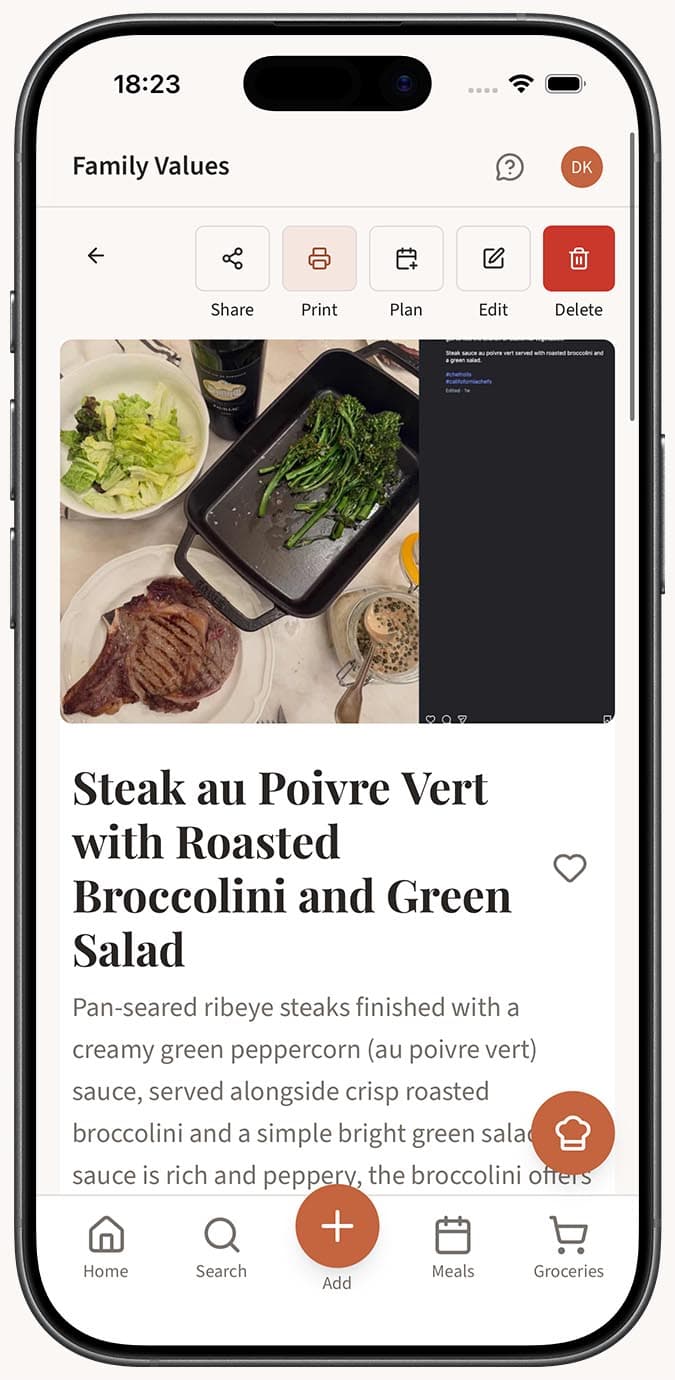
- Review the printer-friendly layout. Family Values opens a dedicated print view at
/recipe/your-recipe-slug/print. This layout removes navigation bars, sidebars, and other screen-only elements, leaving just the recipe title, ingredients, steps, and essential details. - Use your browser's print dialog. Press
Ctrl+P(Windows/Linux) orCmd+P(Mac), or let your browser's print dialog appear automatically. Choose your printer or select "Save as PDF" if you want a digital copy. - Print or save. Hit Print to send the recipe to your printer, or save the PDF to your device for offline access.
Tips
- Save as PDF for offline use. If you want to keep a digital copy without printing on paper, choose "Save as PDF" in your browser's print dialog. This is great for storing recipes on a tablet you bring into the kitchen.
- Print public recipes too. The print feature works on any recipe you can view, including other people's public recipes. If someone shares a link with you, you can print it right away.
- Pair with sharing. If a friend or family member prefers paper recipes, share the link and let them know they can print it directly from the page.
- Check your layout first. The print view is designed to look great on standard paper sizes. If your recipe has very long ingredient lists, preview it in the print dialog before printing to make sure everything fits the way you expect.
- Edit before printing. If you spot a typo or want to adjust quantities, edit the recipe first so the printed version is exactly right.
Related Questions
Frequently Asked Questions
Related Articles
How to Share a Recipe with Someone
Learn how to share any public recipe from Family Values with friends and family using a simple link.
How to Edit or Update an Existing Recipe
Learn how to edit any recipe you've saved in Family Values, including updating ingredients, instructions, categories, images, and more.