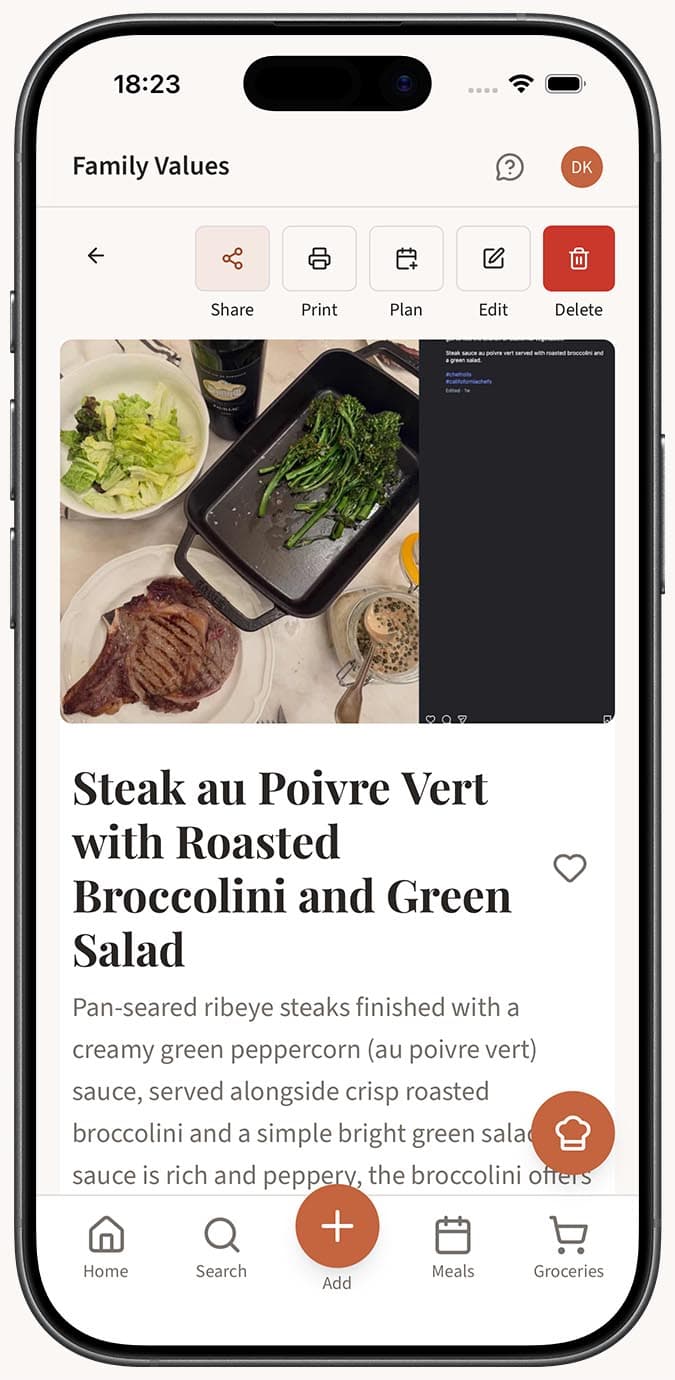
How to Share a Recipe with Someone

Last updated: 2026-03-20

Quick Answer

Family Values makes sharing recipes easy. Open any public recipe on familyvalu.es, tap the Copy Link button on the recipe detail page, and send the URL to anyone you like. Recipients can view the full recipe in their browser without needing an account.

Step-by-Step Walkthrough

  1. Open the recipe you want to share. Navigate to it from your recipe collection or find it through search.
  2. Make sure the recipe is public. If the recipe is still private, the shared link will not be accessible to others. See How to Make a Recipe Public for instructions.
  3. Tap the Copy Link button on the recipe detail page. The button copies the full recipe URL to your clipboard.

Screenshot coming soonCopy link button on the recipe detail page

  1. Paste and send the link wherever you like — a text message, email, group chat, or social media post. The URL follows the format familyvalu.es/recipe/your-recipe-slug.
  2. The recipient opens the link in any browser. They will see the complete recipe including ingredients, steps, photos, and nutritional info without needing to sign up or log in.

Tips

  • Double-check visibility first. If your recipe is set to Private, the link will not work for other people. Toggle it to Public before sharing.
  • Share straight from search results. If you find someone else's public recipe that you love, you can copy its link and pass it along just as easily.
  • Pair sharing with printing. If the person you are sharing with prefers a paper copy, let them know they can use the Print button on the recipe page to get a clean, printer-friendly layout.
  • No built-in messaging. Family Values does not have an internal chat or messaging system. Use your favorite messaging app, email, or social platform to send the link.

Related Questions

Frequently Asked Questions

Related Articles