How to Organize Recipes into Categories
Last updated: 2026-03-20
Quick Answer
Family Values lets you organize your entire recipe collection using custom categories that you define yourself. Instead of being stuck with a fixed set of labels, you create categories that match how you actually cook and think about food. Assign a category when saving or editing any recipe, then use it as a filter on the search page at familyvalu.es to find exactly what you need.
Step-by-Step Walkthrough
-
Open a recipe you want to categorize, either by creating a new one or tapping the Edit button on an existing recipe's detail page.
-
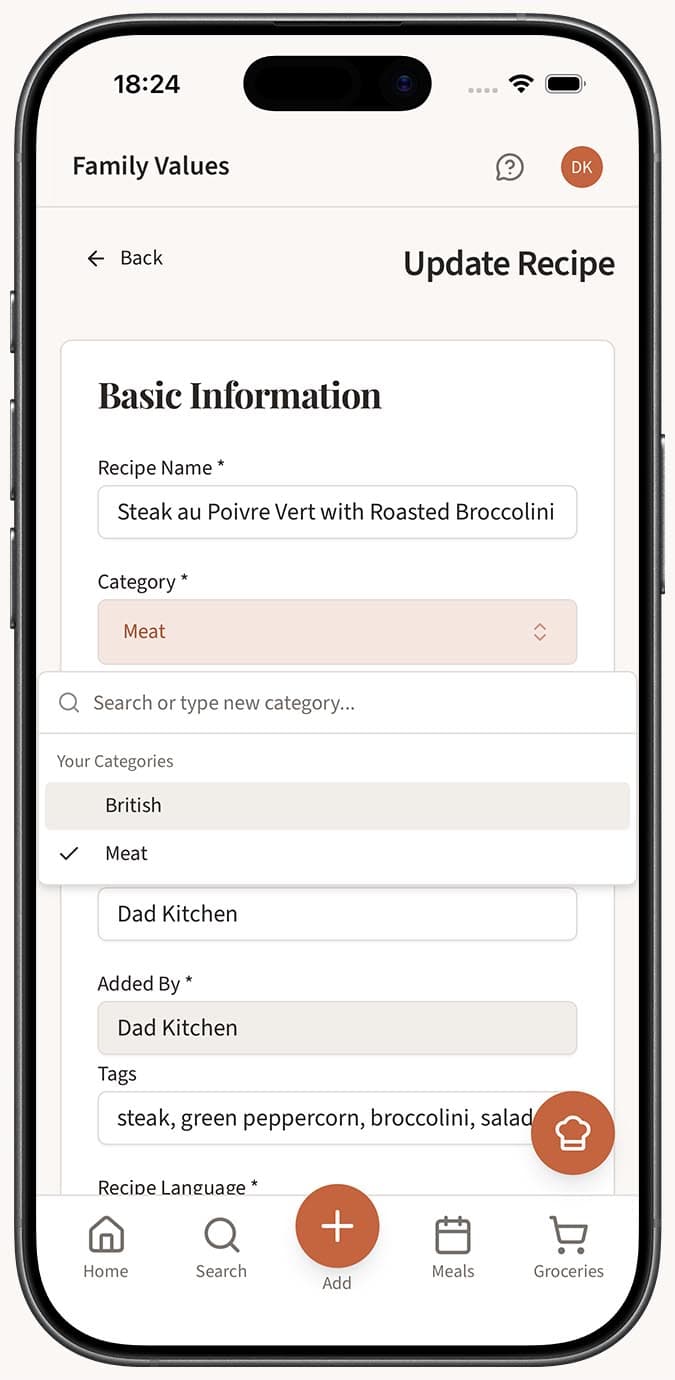
Find the Category field in the recipe form. You'll see a dropdown with all your existing categories.
-
Select a category from the list, or create a new one right from the dropdown if none of the existing options fit. Type a name and confirm to add it on the spot.
-
Fill in or adjust the rest of the recipe details as needed.
-
Save the recipe. It's now grouped under your chosen category.
-
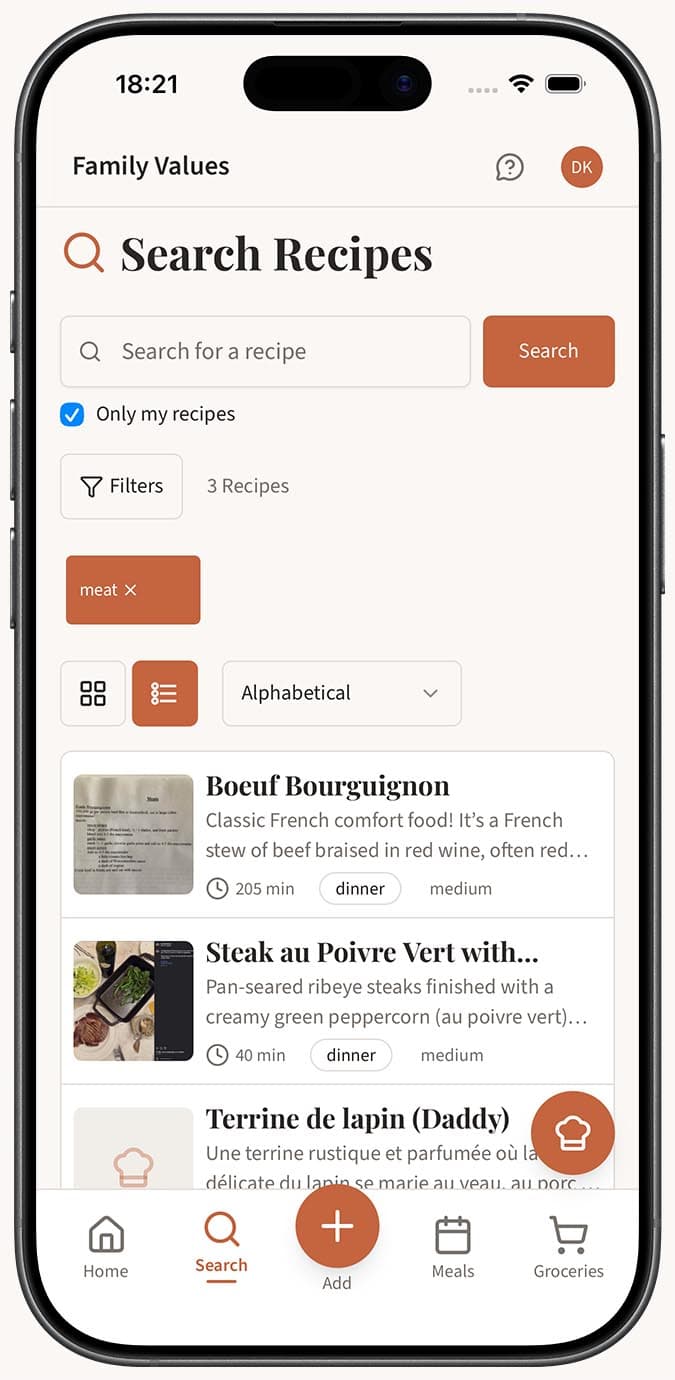
Repeat for other recipes you want to organize. Head to the /search page and use the Category filter to see all recipes in a specific group.
Tips
- Think about how you naturally browse for recipes. Categories like "Weeknight Dinners," "Holiday Baking," or "Meal Prep" often work better than generic labels.
- You can manage all your categories from Settings -- rename them, reorder them with drag-and-drop, or remove ones you no longer need.
- Categories pair well with the built-in course types (breakfast, lunch, dinner, etc.). Use categories for your personal groupings and course types for the standard meal structure.
- When you're importing a batch of recipes, take a minute to assign categories as you go. It's much easier than sorting through a large uncategorized collection later.
- Categories are also used as filters on the search page, so well-chosen category names make finding recipes faster for everyone in your household.
Related Questions
Frequently Asked Questions
Related Articles
How to Create and Manage Recipe Categories
Learn how to create, rename, reorder, and delete custom recipe categories in Family Values from the Settings page.
How to Search and Filter Your Recipes
Learn how to use the powerful search and filter tools in Family Values to find recipes by name, ingredient, category, course, difficulty, and more.
How to Tag Recipes
Learn how to add tags to your recipes in Family Values for better organization and quick identification of recipe attributes.