How to Follow Other Home Cooks on Family Values
Last updated: 2026-03-20
Quick Answer
Family Values lets you follow other home cooks so you never miss their latest creations. Visit another user's public profile on familyvalu.es, tap the Follow button, and their public recipes will start appearing in the "From Chefs You Follow" section on your home page.
Step-by-Step Walkthrough
- Find a home cook you want to follow. You can discover other users by browsing public recipes in search results or by visiting a profile link someone shared with you.
- Open their public profile. Each user has a profile page at
familyvalu.es/profile/their-namethat displays their name, avatar, public recipe count, and a grid of their public recipes. - Tap the Follow button on their profile page.
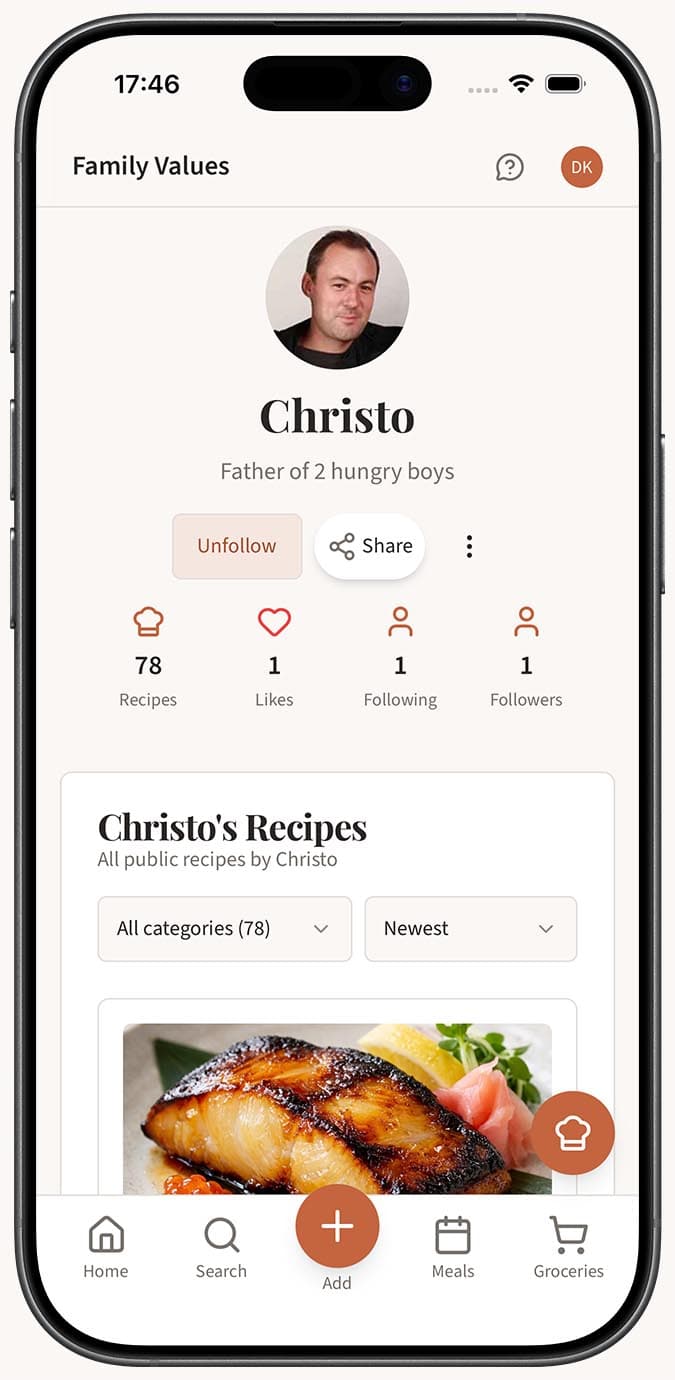
- Check your home page. After following someone, their public recipes will appear in the "From Chefs You Follow" section on your Family Values home page. This section updates automatically as they publish new recipes.
- Unfollow at any time. Return to the user's profile and tap the Follow button again to unfollow. Their recipes will no longer appear in your home feed.
Tips
- Follow cooks whose style matches yours. Whether you love quick weeknight dinners or elaborate weekend bakes, following the right people keeps your feed full of inspiration.
- Explore through the people you follow. When a recipe from someone you follow catches your eye, check out who liked it or browse related recipes to discover even more home cooks.
- Combine following with liking. Tap the heart icon on recipes you enjoy so you can easily find them later, and follow the cook to see what they share next.
- No social feed or comments. Family Values keeps things simple. Social features include following, liking, public profiles, and sharing links. There is no comment section or activity feed.
Related Questions
Frequently Asked Questions
Related Articles
How to Find and Browse Other People's Recipes
Discover how to search for and browse public recipes shared by other home cooks on Family Values at familyvalu.es.
How to Like or Favorite a Recipe
Learn how to like recipes on Family Values using the heart icon, and how to find the most popular recipes on familyvalu.es.
How to View Your Public Profile
Learn how to find and view your public profile on Family Values at familyvalu.es, and see what other users see when they visit it.